Changing between Imperial and Metric units
Last updated About 2 years ago
When setting up your FulGaz account, you will have been asked to choose your display preference of either metric (km) or imperial (miles) units. This applies to your display during rides, and also your user settings such as weight and bike weight.
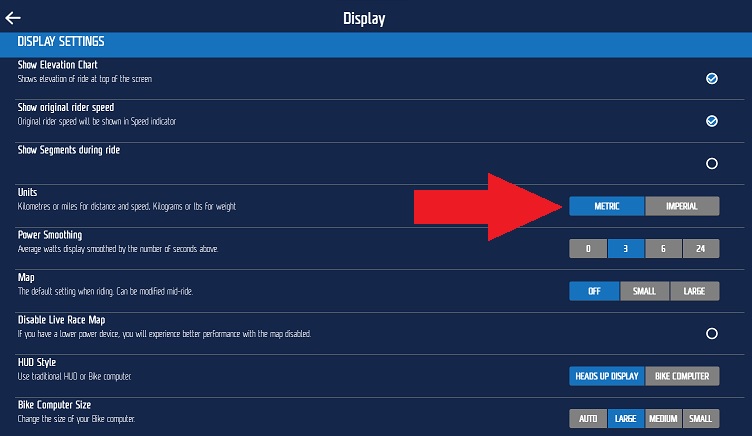
If you need to update your preference, you can do so within your FulGaz app.
1) Open FulGaz
2) Head into settings -> display settings
3) Select your preference for UNITS
NOTE: On some devices you may need to exit and restart FulGaz for this change to take place.
Was this helpful?
Still need help? Ask the team