Uploading FulGaz rides to Garmin Connect
Last updated About 2 years ago
Currently, FulGaz does not have an automatic upload to Garmin Connect. You can import your FulGaz ride data into Garmin Connect by using the "FIT" file in the post-ride email sent to you after each ride. As well as Garmin Connect, you can import this file into most third-party training apps and websites.
1. Go to connect.garmin.com and log in.
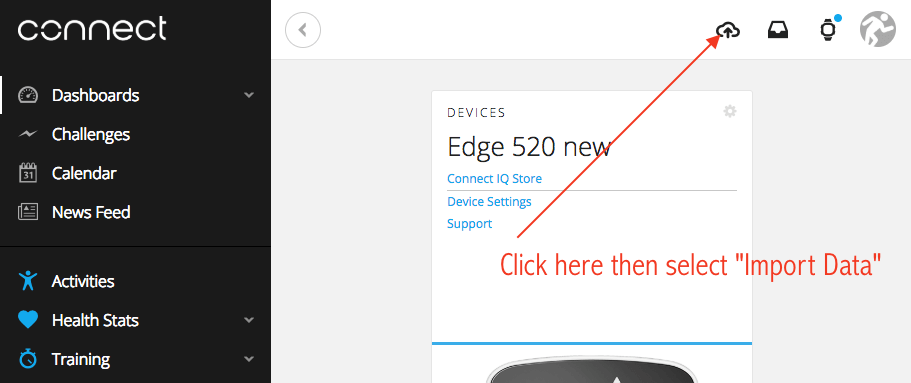
2. Click on the small cloud icon on the top right of the screen, then select Import Data
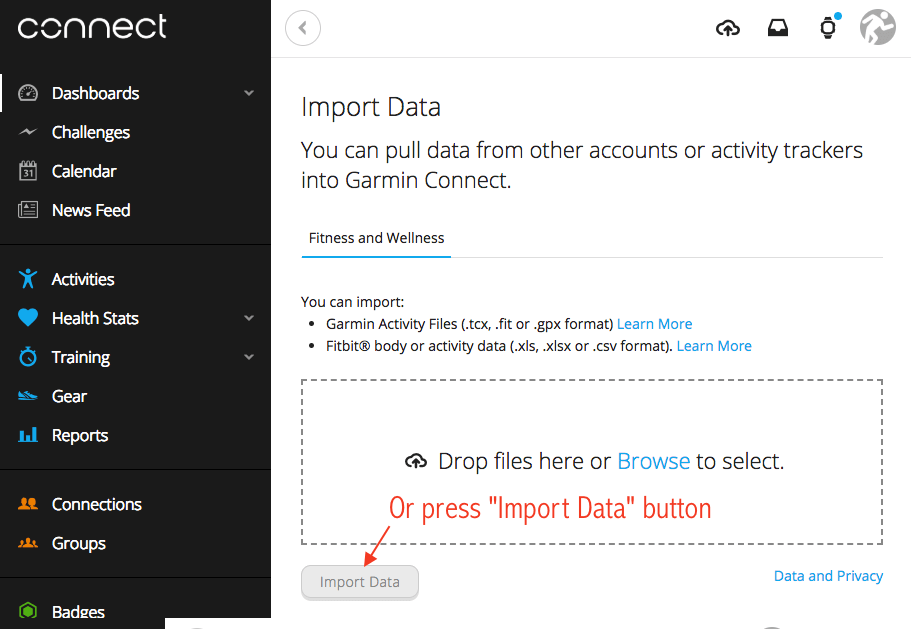
3. upload your FIT file by dragging and dropping it onto the screen or pressing the Import Data button.
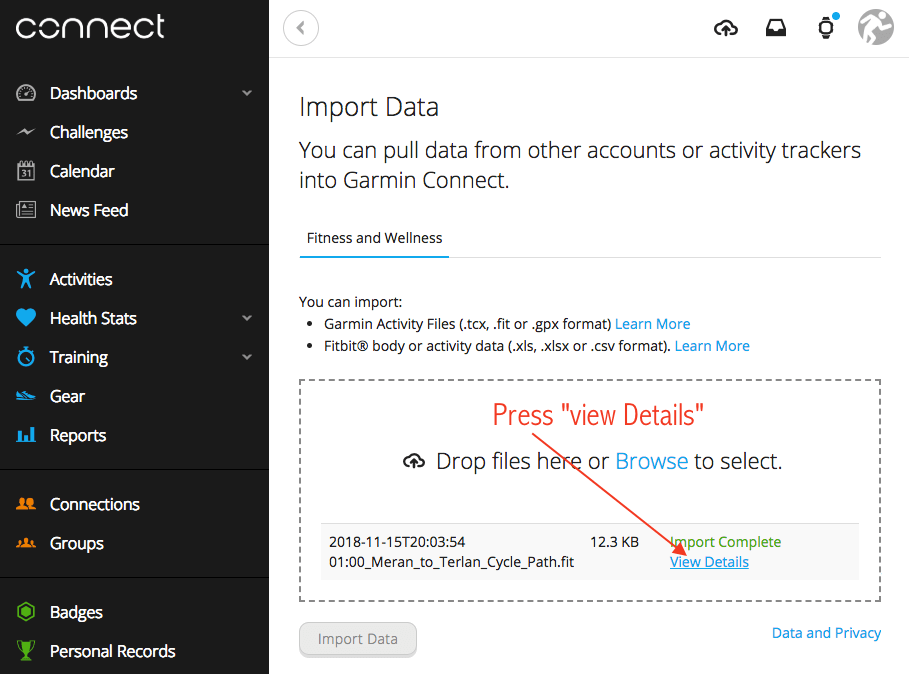
4. Wait for the Import Complete message to appear, then press View Details.
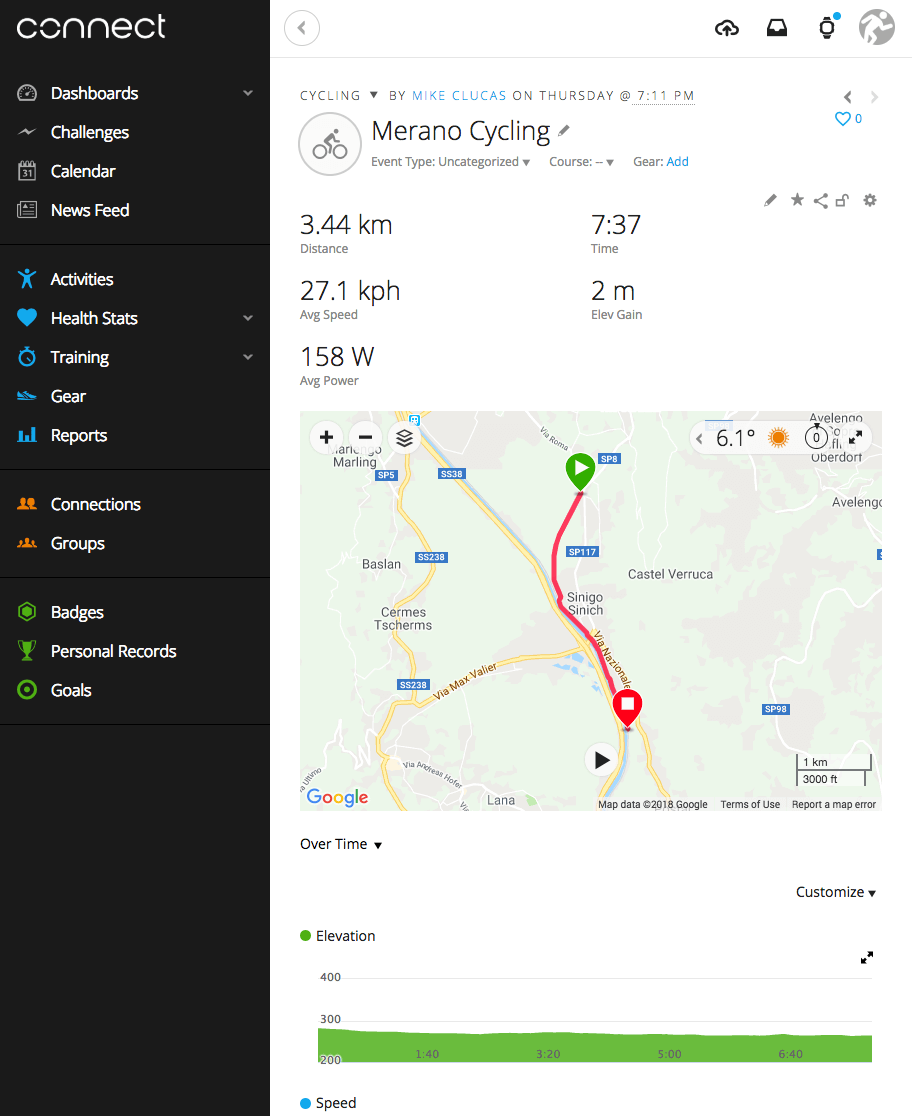
5. You can now see your ride data. All your FulGaz ride data such as power, speed, cadence and heart rate is included in the file, but you may need to edit the ride type to be "virtual" in some cases.
Was this helpful?
Still need help? Ask the team