Android: Video not displaying on second screen (7.0.9)
Since the update from 7.0.5 to 7.0.9 it is no longer possible to cast the video from a tablet/phone to a TV via HDMI. Video does not play on the TV when ride is started.
Using the same tablet (One Plus 12GB RAM) connected to 4K Sony TV has stopped working. Now, when I try to open the FulGaz app whilst connected (using same USB 3 to HDMI cable that worked before), I get a blue screen stating. "FulGaz Your ride will appear on this screen" but the blue screen doesn't alter. Then when I press "Let's go" on the tablet FulGaz app, the app quickly closes down - blue screen on TV stays though.
If I don't have the cable connected to the tablet, then FulGaz opens normally as does the rides, but, as soon as I connect the casting cable, all I get is the aforementioned blue screen with the FulGaz message - the tablet image does not cast the FulGaz screen to the TV. If I shutdown the app, however, the home screen of the tablet casts to the TV as does any other app.
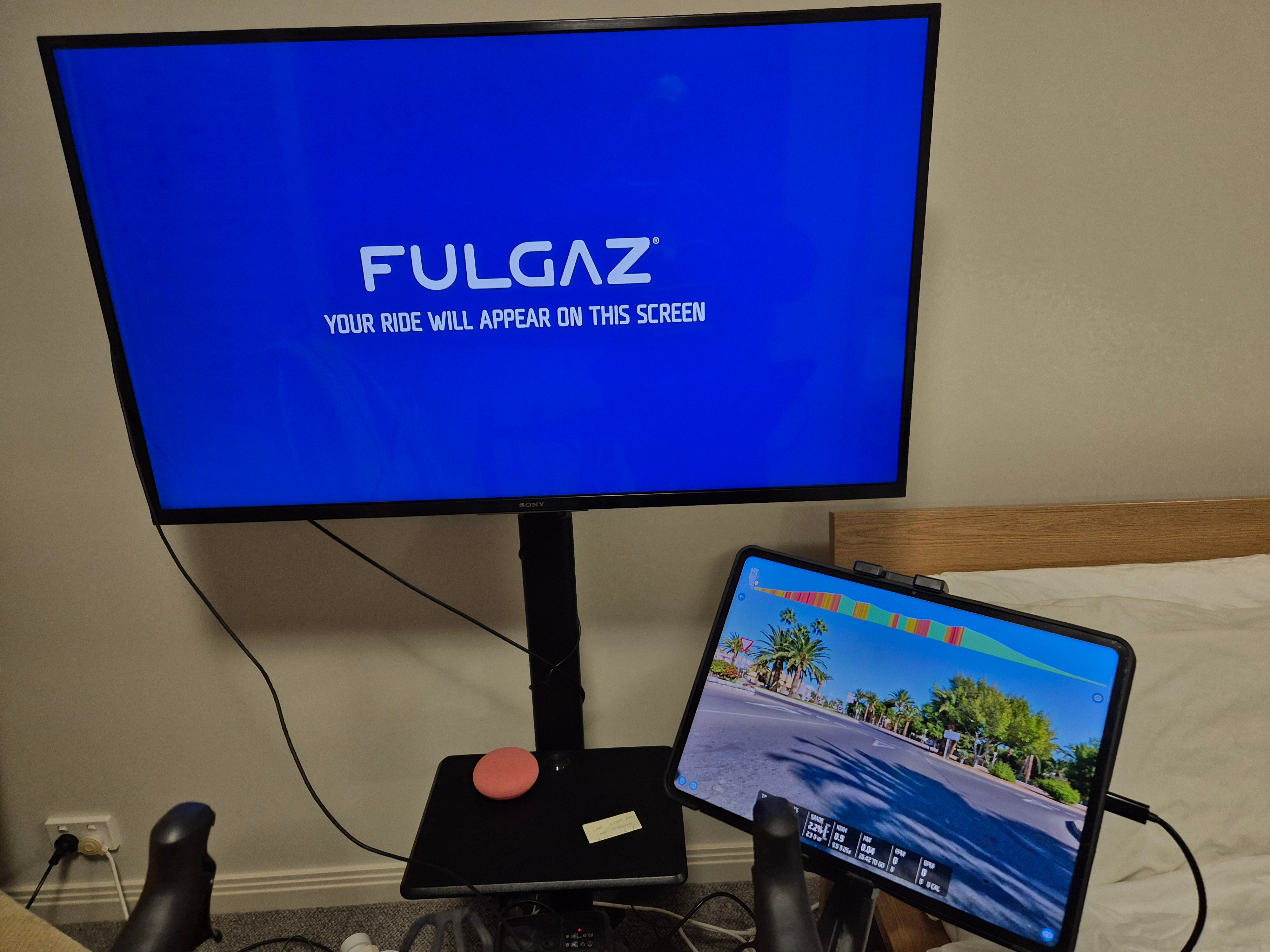
The same as above occurs when I use my Samsung S24 mobile phone as the source of the casting (which also worked ok last week in the 7.0.5 app version, but not now with the 7.0.9 version). I can use Zwift and My Whoosh without any problems.
Log in to comment and vote
Comments6
FTW1
Nov 8
I just tried to ride indoors for the first time this fall and ended up with this same issue. If I go ahead and start the ride on my phone (Galaxy S25+), the phone screen goes black but the ride does come up on my external screen; however, the elevation banner and the HUD banner are massively large and cover almost the entire viewing area, effectively obstructing 80% of the ride video. Adjusting the display settings in the app does nothing to change this. If I use the app only with the external screen not connected, then everything works fine; although, the menus on the phone screen are so small you have to change the settings to Extra Large just to get them big enough to actually touch them with your finger tip. I cannot use this app to ride if I am forced to view the ride only on my phone screen. That is why I have a large flat screen set up in front of my bike. I did try a different riding platform and it worked perfectly. Unfortunately it looks like this won’t be the first time I’m going to have to pay a monthly subscription for another riding app, while I wait for Fulgaz to come up with a fix to the latest debilitating issue I am experiencing. I can’t believe this has been going on since Aug 24th. That would be 3 months of paying for a different platform with the issue still not resolved. That’s way too long. Last time I had to pay for only one month on another platform, as Fulgaz was able to resolve the issue within a couple of weeks; not ideal, but certainly better than 3 or 4 months. I’m really not a fan of paying for multiple riding apps, due to not being able to count on the one I actually want to use.
Craig Ramseur
Oct 16
No response since August from Fulgaz? Is anyone even home there? What good is this forum then?
Craig Ramseur
Oct 9
No response, huh? I guess I won’t be extending my subscription beyond October ( my current sub ends 10/31/26). That’s too bad, I really liked it.
Craig Ramseur
Sep 10
I have the same problem on android 8.0 sigh.
Sportsworld
Sep 8
Yes I too have the exact same issue since the update from 7.0.5 to 7.0.9, no longer possible to cast the video from my iphone to the monitor via HDMI. Very frustrating. None of the workarounds mentioned are successful for me. When is the fix due?
John Oscar
Aug 27
I have a similar problem and it occurs with wired and wireless screen mirroring .
When will it be rectified? It's such a clear issue that wonder why is was not identified prior to release to the public.